



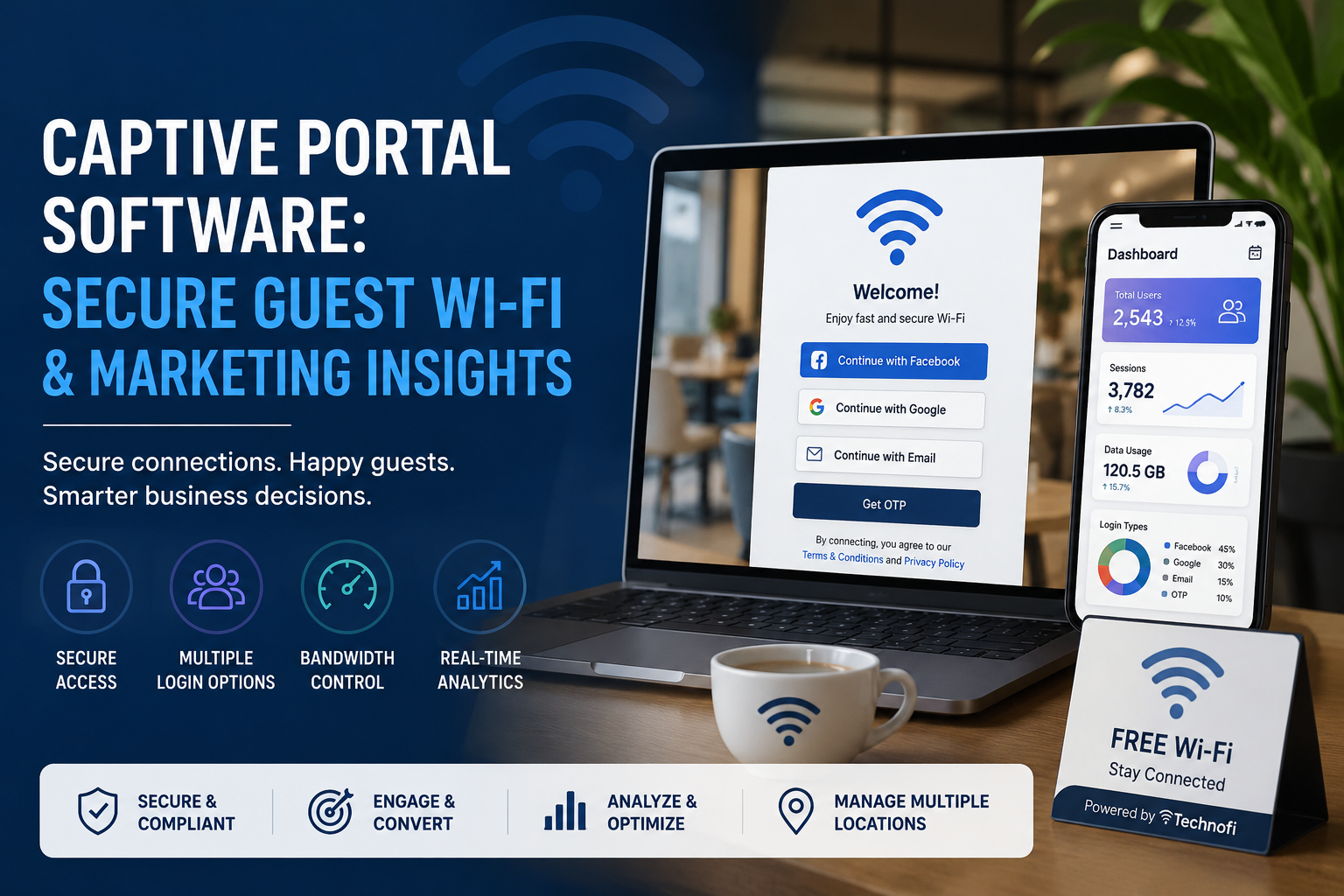
Captive Portal Software: Secure Guest Wi‑Fi and Marketing Insights
Introduction
When you offer free Wi‑Fi to guests or customers, you’re opening a doorway into your network. If that doorway isn’t monitored, anyone can come and go anonymously, making it hard to maintain security or comply with data regulations. A captive portal solves this problem by presenting a login or splash page before giving users internet access. It’s more than just a welcome page—modern captive portals enable secure authentication, collect useful analytics and become a valuable marketing touchpoint.
What is a Captive Portal?
A captive portal is a web page displayed to newly connected users before they can access a network’s resources. It often requires users to agree to terms or provide credentials (such as email, phone number or social login) . Captive portals are common in business hotspots, cafés, airports, malls and hotels, and they can also control access to residential networks . By intercepting traffic and asking users to authenticate, the portal ensures that only approved devices can use the network . This verification step makes the connection both secure and compliant with data‑protection laws .
Why Your Business Needs a Captive Portal
1. Security and compliance
Uncontrolled open Wi‑Fi networks expose guests and organizations to misuse. Captive portals add a layer of accountability by authenticating users before access (through email, SMS, social login or single sign‑on) . IT teams can apply usage restrictions, filter traffic and demonstrate compliance with regulations like GDPR and HIPAA . This makes it easier to trace activity and manage liability.
2. Smooth onboarding and better user experience
Sharing a static Wi‑Fi password often leads to frustration when it circulates widely or changes frequently. A captive portal offers consistent onboarding: returning users are recognised automatically and first‑time users see clear, branded instructions . The result is a professional experience that doesn’t sacrifice security.
3. Brand visibility and marketing opportunities
The splash page becomes a marketing surface. Businesses can display their logo, colours and promotions; link to apps or surveys; and redirect users to tailored landing pages . Captive portals also collect valuable contact information (email, phone or social profile) so you can build a compliant marketing database and launch personalised campaigns . IPera notes that real‑time data capture enables targeted engagement and brand awareness .
4. Analytics and insights
Onboarding via a portal produces rich analytics: how many users connect and when, device types and session duration, and engagement with promotions . These insights help optimise network resources and inform decisions in marketing or operations. Captive portals can also restrict bandwidth or session length to prevent heavy downloaders from clogging the network .
5. Flexible integration and scalability
Modern captive portals integrate with existing Wi‑Fi infrastructure and work across multiple vendors, allowing IT teams to centralise policy management . Cloud‑based solutions avoid additional hardware, scale easily from one site to many, and simplify administration . They offer multiple authentication methods—email, SMS, QR code, social login or sponsorship—to balance convenience and security .
6. Marketing automation and zero‑trust networking
Advanced captive portals integrate with CRM and marketing platforms so you can trigger personalised campaigns based on guest behaviour . They also support zero‑trust security models by enforcing identity‑based onboarding and segmenting guest traffic from internal networks . This reduces risk while enabling seamless user experiences.
Technofi’s Captive Portal: Key Features
Technofi offers a cloud‑native captive portal solution tailored to hostels, libraries, co‑working spaces and multi‑branch enterprises. Here’s what sets it apart:
- Flexible authentication: Support for OTP codes, vouchers, email and phone verification, QR codes and social logins. Users can choose the method that suits them, and administrators can enforce different workflows for guests, members or residents.
- Central management: A single dashboard lets you manage multiple locations, configure SSIDs and policies, and view real‑time logs. Integration with RADIUS and vendor‑agnostic Wi‑Fi hardware ensures seamless deployment across branches.
- Bandwidth and data control: Limit bandwidth or data consumption per user or per voucher to prevent abuse and guarantee fair access. Define session lengths and automatically disconnect idle sessions to free up capacity.
- Customisable splash pages: Design branded login pages with your colours, logos and messaging. Promote events or collect feedback through embedded surveys, or redirect users to your app after login .
- Analytics and reporting: Track usage patterns, device types, session duration and engagement with marketing content . Export data to your CRM or marketing platforms to build loyalty programmes and targeted campaigns .
- Privacy and compliance: Technofi stores logs securely and keeps your captive portal compliant with local regulations. Personal data is encrypted and data retention policies can be configured to meet privacy requirements .
- Zero‑trust ready: The portal supports segmentation of guest traffic and integrates with cloud‑based security platforms to enforce URL filtering and firewall rules .
How Technofi’s Captive Portal Works
- Connect: A guest, resident or student connects to your open Wi‑Fi network (SSID) on their phone, tablet or laptop.
- Redirection: The device is automatically redirected to your captive portal splash page. First‑time users choose an authentication method (OTP, voucher, email or social login) while returning users are recognised.
- Authenticate: After entering their credentials or code, users accept the terms of use. Technofi verifies their identity and applies the appropriate policies.
- Access and control: Once authenticated, users are granted internet access. Bandwidth and data limits are enforced automatically, and sessions are monitored in real time.
- Insights and follow‑up: Your dashboard updates immediately with session details and user demographics, giving you actionable insights. Collected data can be synced to your CRM or marketing tools for follow‑up campaigns.
Conclusion
Captive portal software transforms guest Wi‑Fi from a simple convenience into a strategic asset. It secures your network, improves the user experience, and turns your Wi‑Fi into a marketing channel and analytics engine. By choosing Technofi’s cloud‑native captive portal, you gain flexible authentication options, centralised management, bandwidth control and data‑driven insights—all while complying with privacy regulations. Get in touch with our team to schedule a demo and see how captive portals can elevate your connectivity and engagement.